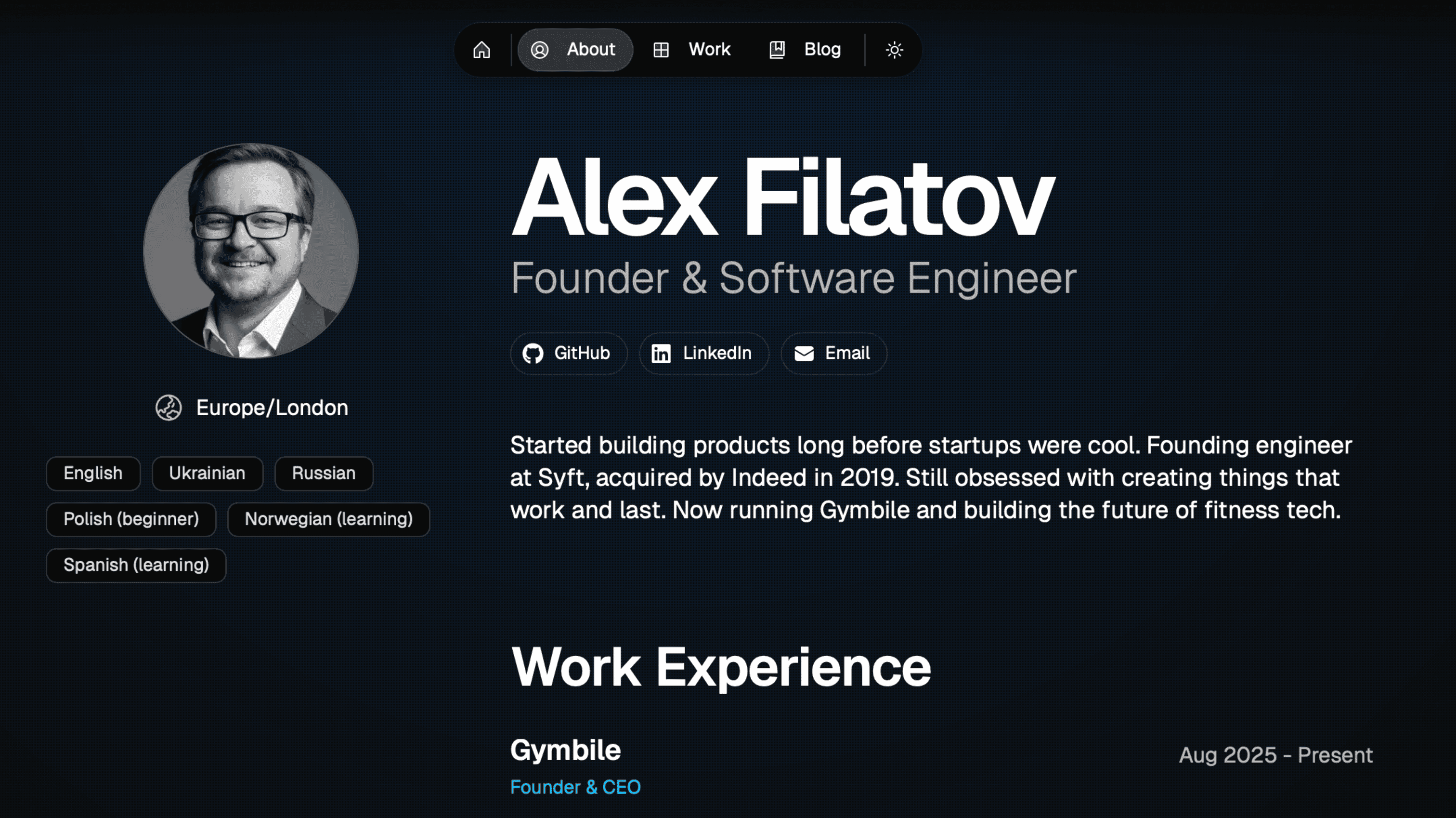
I needed a personal portfolio website but didn't want to spend days designing and coding it from scratch. I wanted something that looked professional, was easy to maintain, and showcased my work effectively.
I used Claude (with Claude Code) and a single prompt to generate my entire portfolio. Here's the exact prompt I used:
I want you to create me my personal website/portfolio.

As a base use this template:
git clone https://github.com/once-ui-system/magic-portfolio.git

For data (skills, experience, projects) go to:
- My GitHub: <YOUR_GITHUB_URL>
- My LinkedIn profile (in the attached PDF file)
- My recent projects from: <YOUR_COMPANY_OR_PROJECTS_URL>

Make project deployable to Vercel
That's it. Claude handled:
- Cloning and setting up the template
- Extracting my work history from LinkedIn
- Pulling project information from my company website
- Configuring all the content files
- Setting up Vercel deployment
The website is built with:
- Next.js 16 - React framework with App Router
- Once UI - Design system for consistent styling
- MDX - Markdown with JSX for blog posts and project pages
- Vercel - Deployment and hosting
- Have your LinkedIn profile exported as PDF
- Gather links to your GitHub and any project showcases
- Use the prompt above with Claude Code
- Deploy to Vercel
The entire process took about 30 minutes, most of which was Claude reading my profiles and generating content.
After the initial generation, I made a few tweaks:
- Added custom project screenshots
- Fine-tuned some of the copy
- Added this blog post
The magic portfolio template from Once UI made it easy to customize further through simple TypeScript configuration files.
Bonus: Chat With My AI Replicant
- Register at replicant.im
- Train your replicant with your resume and experience
- Get your embed code
- Tell Claude: "Install this Replicant embed code" and paste it
Claude will handle adding it to your site's layout.